Code Smarter.
Ship Faster.
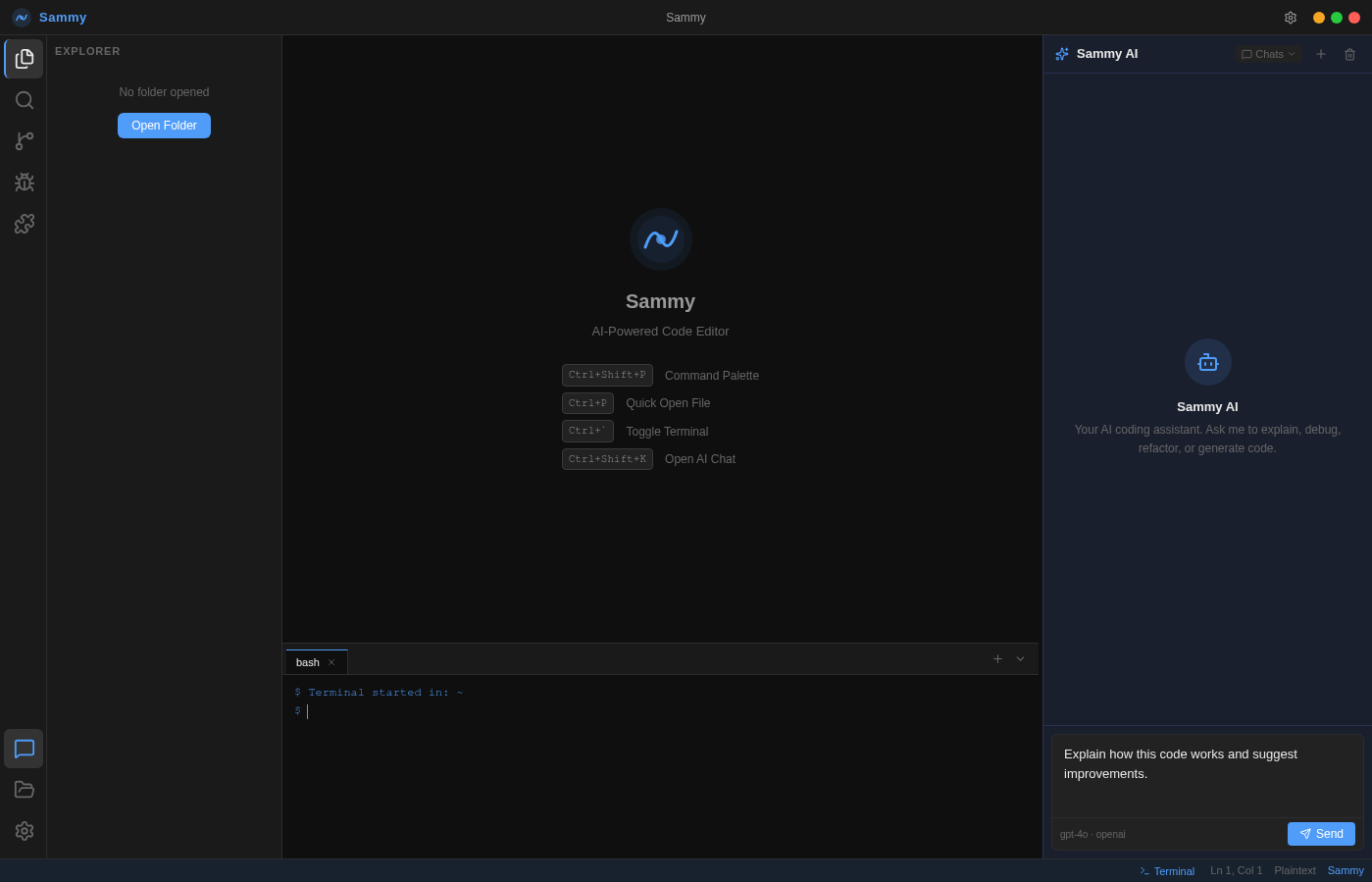
Sammy is a desktop AI coding platform. Monaco editor, streaming AI chat, integrated terminal — and your choice of AI: OpenAI, Anthropic, or a fully private local LLM.
No installer required. Portable — runs from any folder.
How It Works
Download
Grab the Windows x64 portable ZIP or the source archive for Linux and macOS. No installer, no admin rights — just extract and run.
Add API Key
Open Settings and choose your AI provider: OpenAI, Anthropic, or a private/local LLM such as Ollama or LM Studio. Paste your API key — or leave it blank entirely for local servers. No cloud required, no key needed for local models.
Start Coding
Open a file, write code in the Monaco editor, and ask Sammy anything in the AI chat panel. Refactor, explain, debug — all without leaving the editor.
Built on the same technology stack trusted by millions of developers worldwide
Built for serious developers
Every feature is designed to keep you in flow — from first keystroke to final commit.
Monaco Code Editor
The same engine powering VS Code. Full syntax highlighting across 30+ languages, multi-tab support, and intelligent code formatting.
Sammy AI Chat
Streaming AI responses from OpenAI, Anthropic, or a fully private local LLM (Ollama, LM Studio, vLLM). Ask Sammy to explain, debug, refactor, or generate code — then insert it with one click. No cloud required when running locally.
File Explorer
Full project tree with create, rename, and delete. File-type icons, dirty indicators, and instant file switching.
Integrated Terminal
A resizable bash terminal at the bottom of the editor. Run commands without ever leaving Sammy. Press Ctrl+` to toggle.
Multi-Provider AI
Three first-class AI choices: OpenAI (GPT-4o, GPT-4, GPT-3.5), Anthropic (Claude 3.5 Sonnet, Claude 3 Opus), or any private/local LLM via an OpenAI-compatible endpoint — Ollama, LM Studio, vLLM, llama.cpp, and more. Switch providers and models in Settings at any time, no restart required.
Full Settings Panel
Customize font size, tab size, word wrap, auto-save, accent color, and AI provider (OpenAI, Anthropic, or private/local LLM) — all persisted locally. Use the built-in Test Connection and Discover Models buttons to verify any provider instantly.
Keyboard Shortcuts
Ctrl+Shift+P for Command Palette, Ctrl+P for Quick Open, Ctrl+` for Terminal, Ctrl+S to save. All Monaco editor shortcuts work out of the box.
Auto-Save
Optional 2-second auto-save for dirty files. Never lose work mid-session. Toggle it on or off in General Settings.
Chat History
Multiple auto-titled chat sessions per project. Create new chats, switch between them, and clear history when needed.
How does Sammy compare?
Same powerful editor experience — but free, open source, and fully under your control.
* Editor works offline; AI chat requires an active API key connection.
Built for developers who
own their tools.
Subscription editors are a black box and a dependency. Sammy gives you the same power with full transparency and zero recurring cost.
Bring Your Own Key
Sammy never stores or proxies your API key. It goes directly from your machine to OpenAI or Anthropic. For private/local LLMs (Ollama, LM Studio, vLLM), no API key is required at all — your requests never leave your device. No middleman, no data harvesting.
Model Agnostic
Three first-class AI choices in one settings toggle: OpenAI (GPT-4o, GPT-4, GPT-3.5), Anthropic (Claude 3.5 Sonnet, Claude 3 Opus), or any private/local model via an OpenAI-compatible endpoint — Ollama, LM Studio, vLLM, llama.cpp. Use Test Connection and Discover Models to verify any setup in seconds.
Offline-First Editor
The Monaco editor, file explorer, terminal, and all editing features work entirely offline. AI chat activates only when you choose to use it.
Fully Customizable
Eight accent colors, adjustable font size, tab size, word wrap, and auto-save — all persisted locally. Sammy adapts to your workflow.
Privacy by Design
No telemetry, no usage tracking, no analytics sent home. Sammy runs entirely on your machine. Your code, your conversations, and your API keys never leave your device unless you explicitly send a request to an AI provider.
Lightweight & Fast
Sammy is a lean Electron application with a minimal dependency footprint. It launches in seconds, consumes modest RAM, and never runs background services or auto-update daemons that compete with your development environment.
See Sammy in action
A 63-second tutorial covering every major feature — from onboarding to AI chat to the integrated terminal.
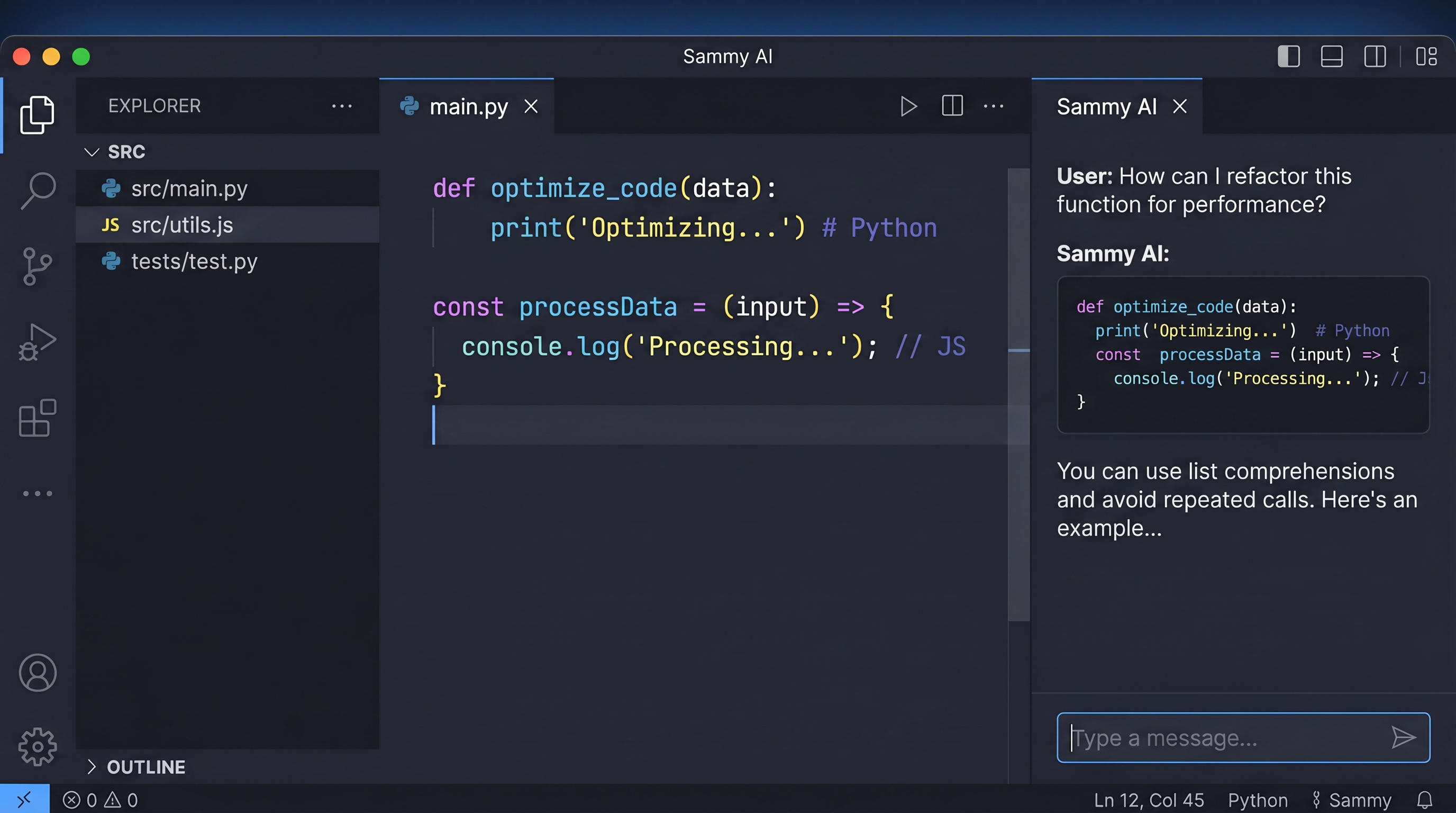
Monaco — the engine behind VS Code
Sammy's editor is powered by Monaco, the same battle-tested engine that drives Visual Studio Code. Open any file and get full syntax highlighting, multi-tab management, and a persistent position — exactly where you left off.
- 30+ language syntax highlighting
- Multi-tab support with dirty-file indicators
- Word wrap, font size, and tab size controls
- Keyboard shortcut palette (Ctrl+Shift+P)
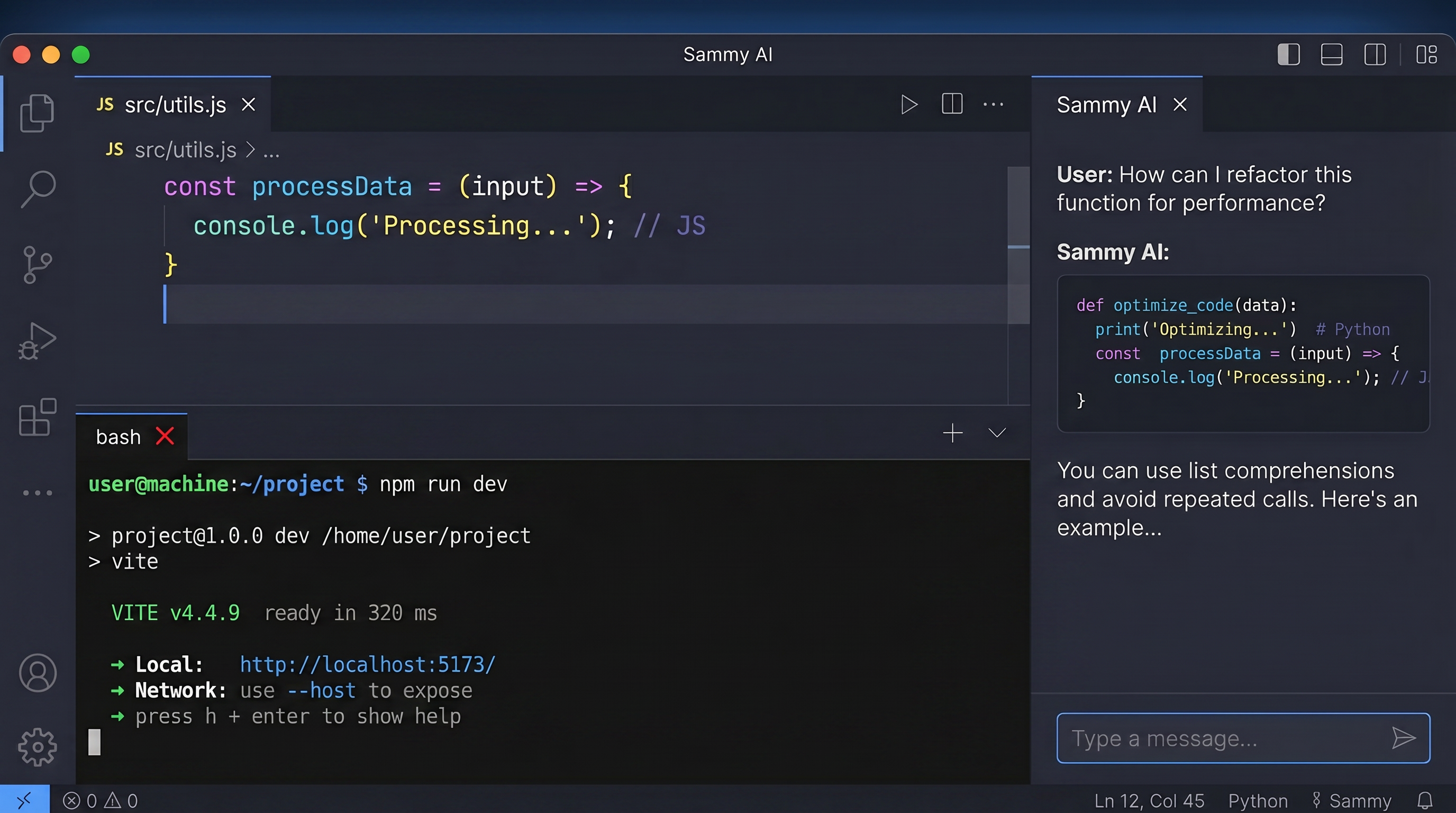
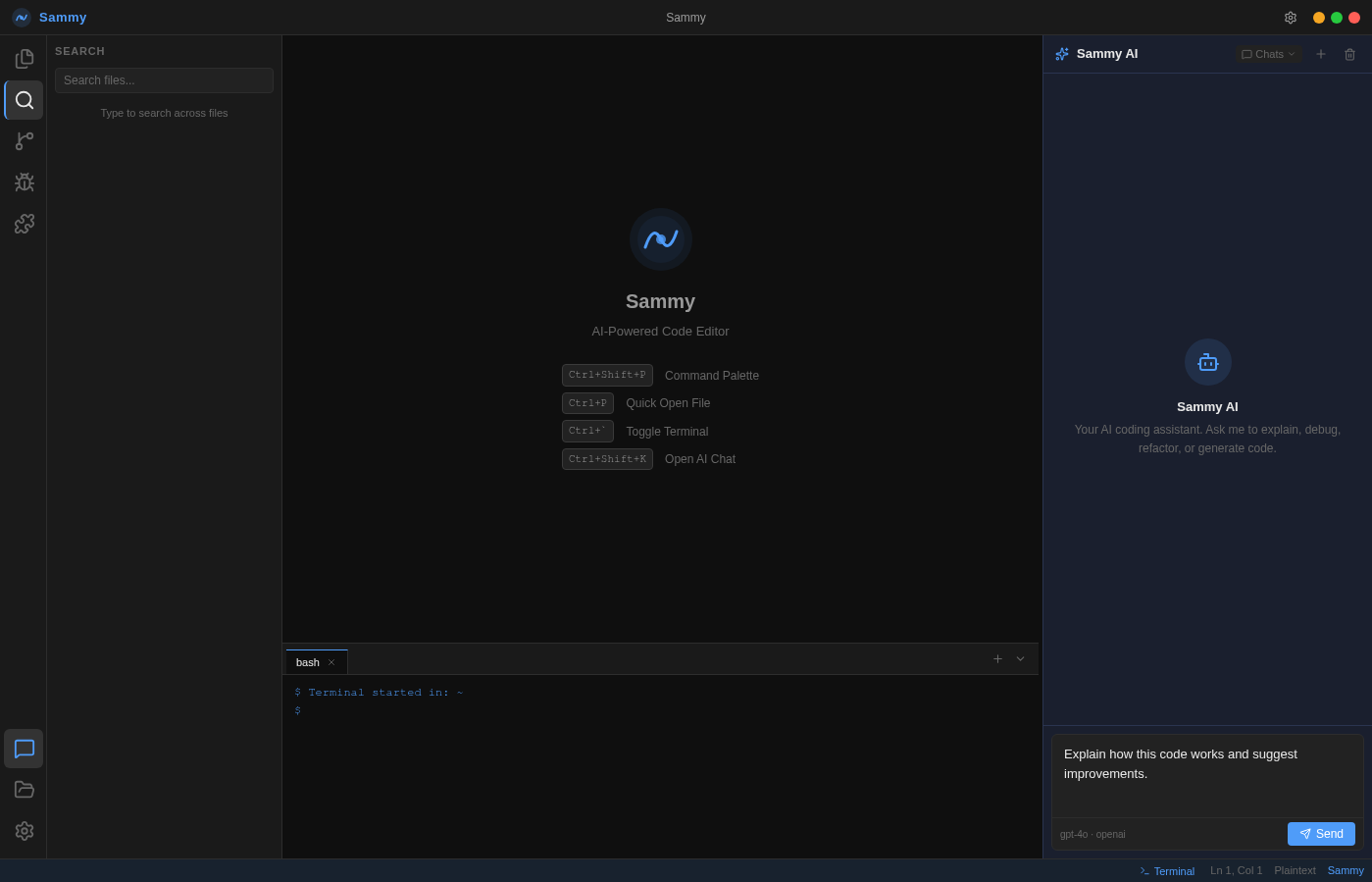
Run commands without leaving the editor
Press Ctrl+` to slide up a full bash terminal at the bottom of the screen. Run build scripts, git commands, or any shell operation — then get back to coding immediately. Multiple terminal tabs are supported.
- Full bash shell with color output
- Multiple terminal tabs
- Resizable panel height
- Persists while the app is open
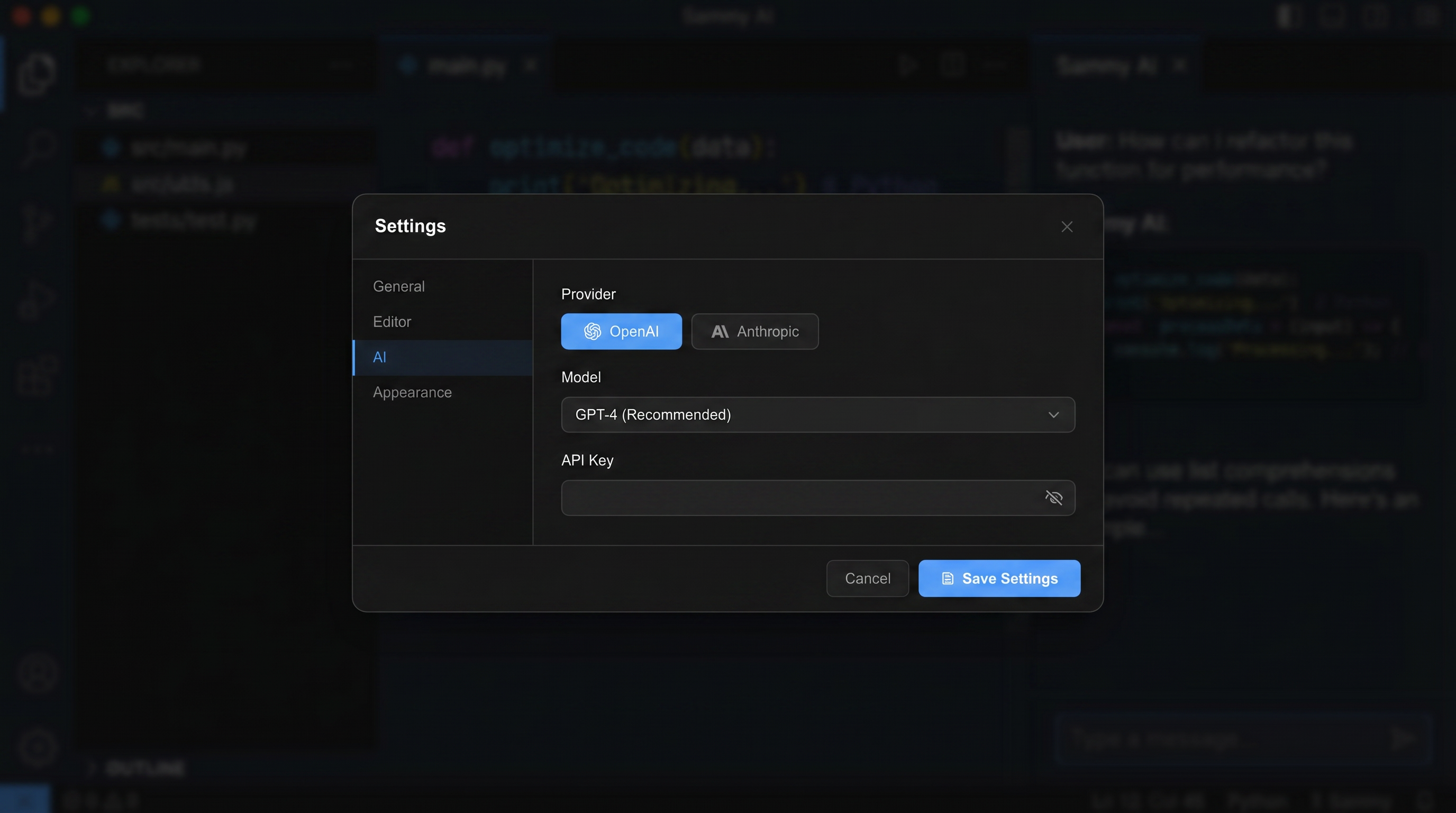
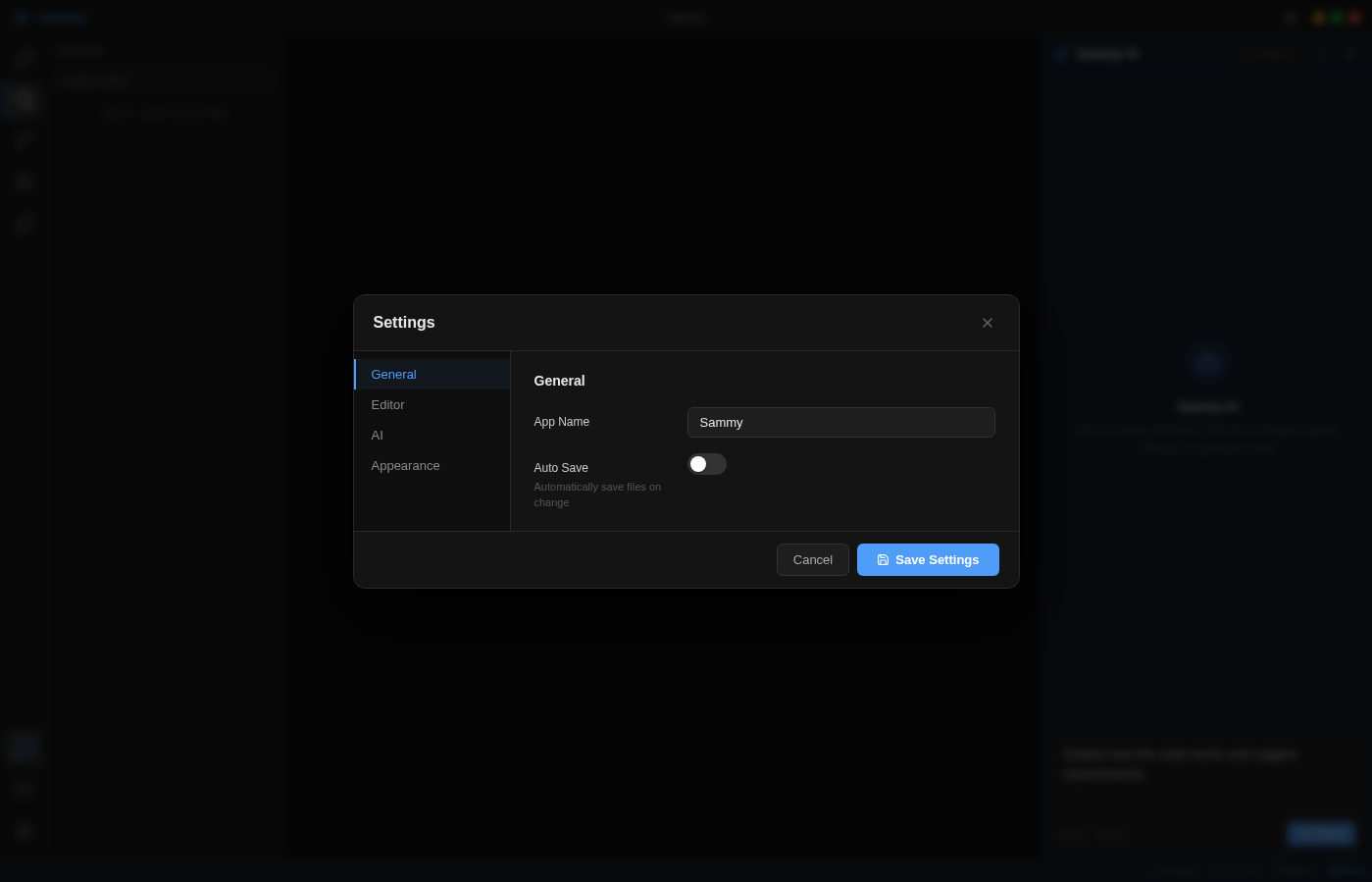
Fully customizable to your workflow
The Settings panel gives you complete control over Sammy's behavior and appearance. Switch AI providers, change models, update your API key, adjust editor preferences, and pick an accent color — all saved locally.
- OpenAI, Anthropic, and Private/Local LLM — all first-class choices
- Model selection per provider (or auto-discover for local servers)
- 8 preset accent colors
- Auto-save, font size, tab size, word wrap
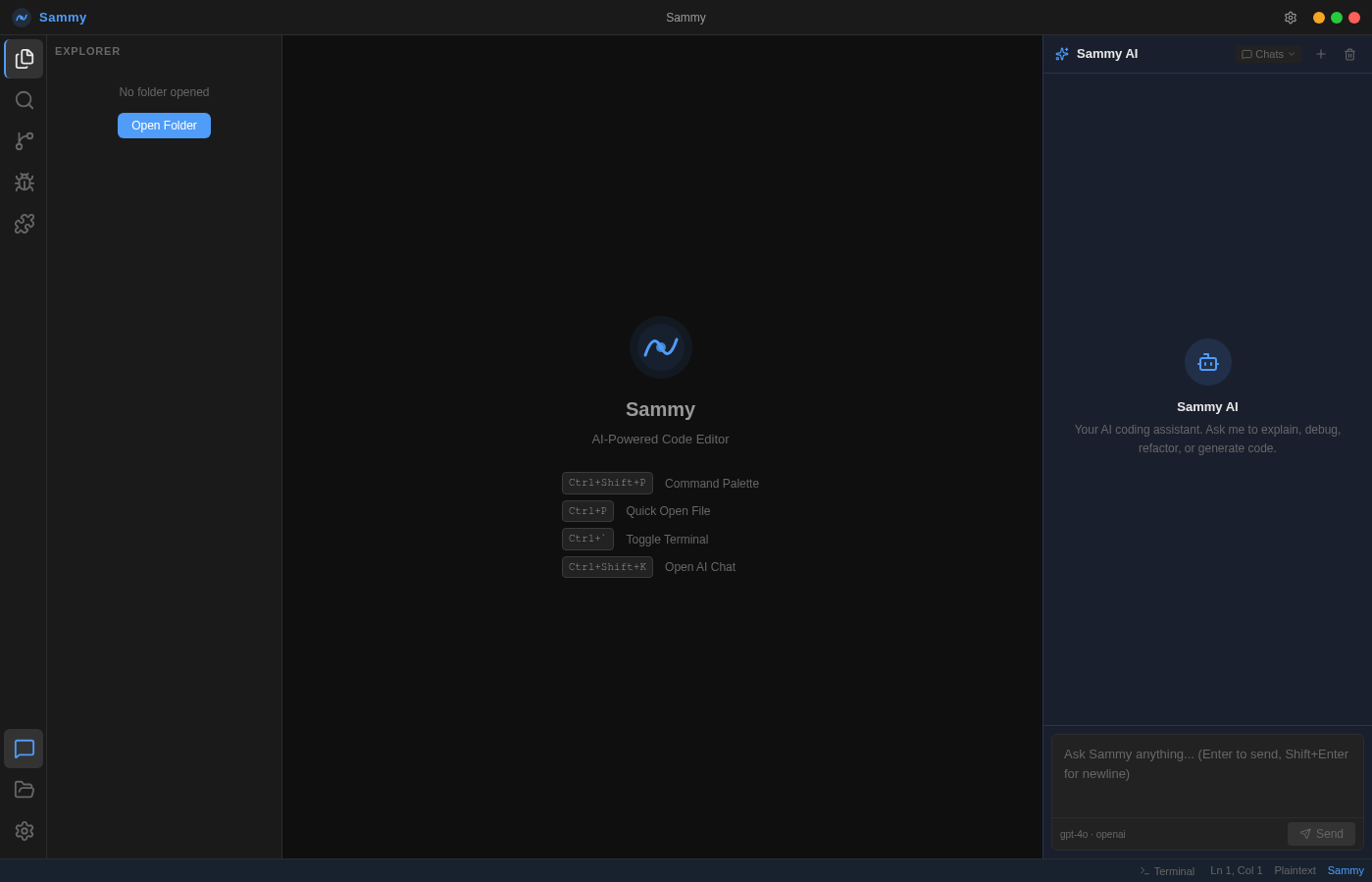
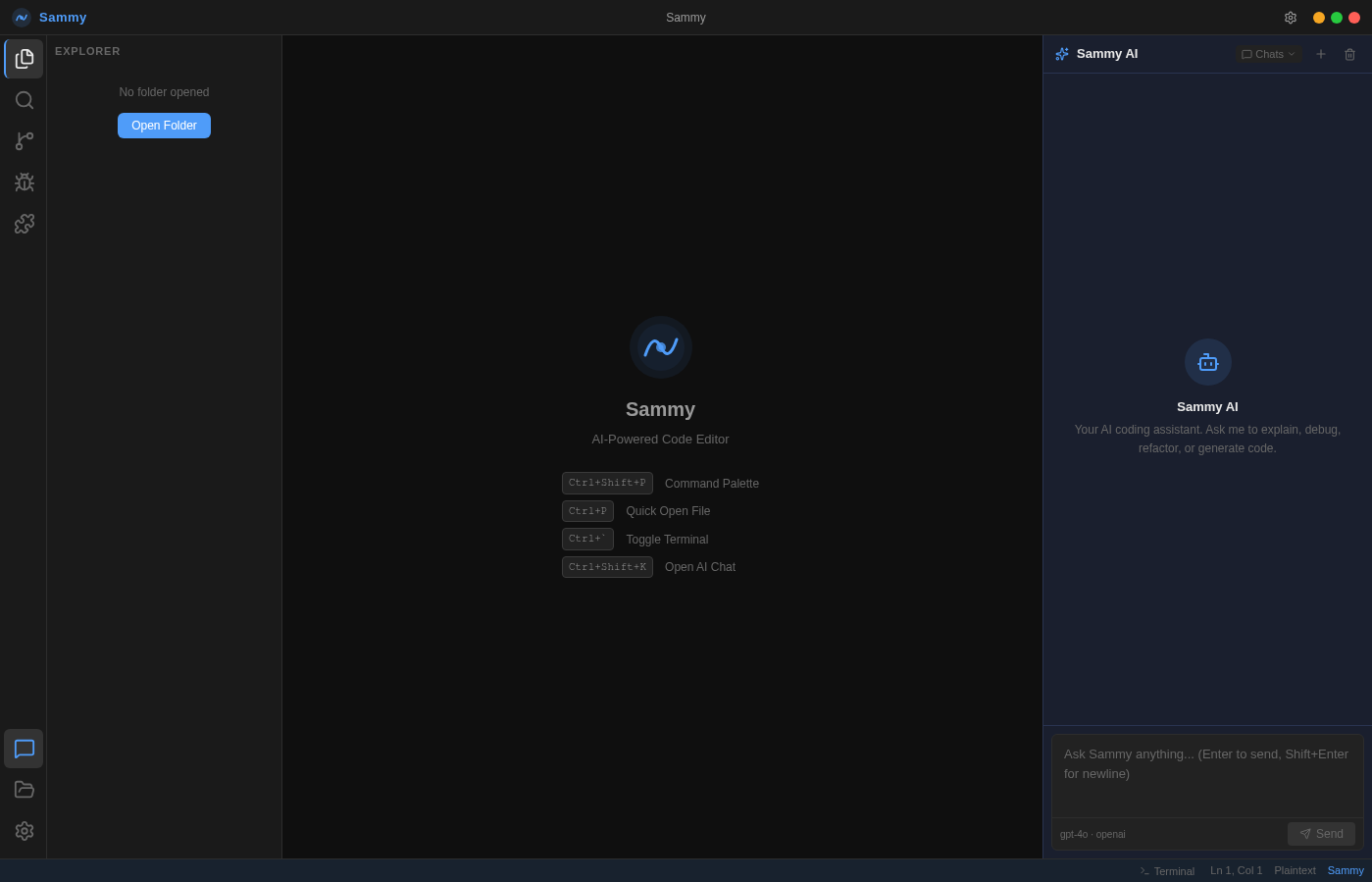
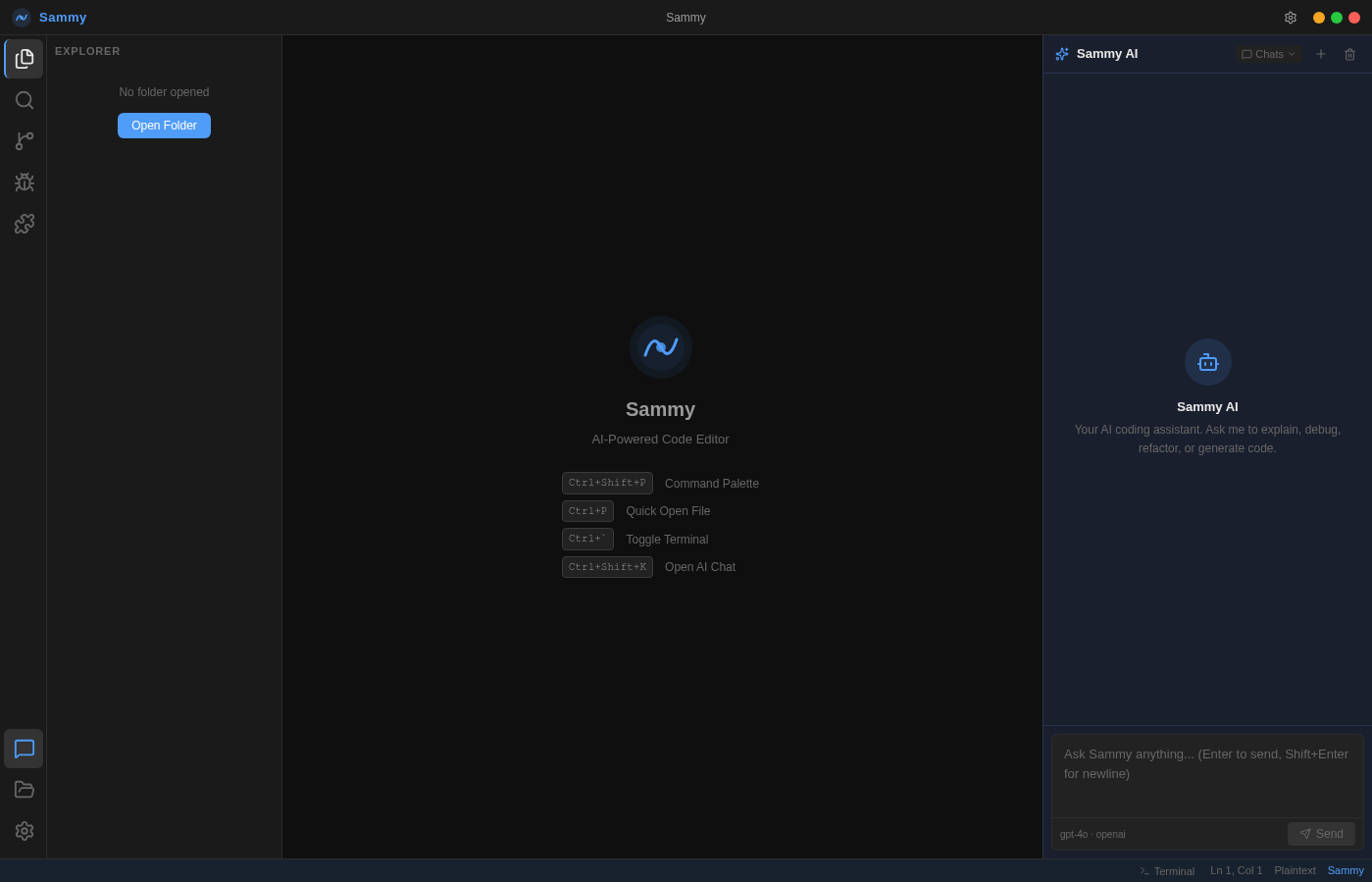
Every view, at a glance
Click through all six views of the Sammy interface — from first launch to full workflow.
Keyboard shortcuts
Sammy is built for keyboard-first developers. Learn these shortcuts and you will rarely need the mouse.
Editor
AI & Chat
Terminal & View
Quick Start Guide
Choose your preferred installation method and follow the steps below.
Click the Download button above. The file is ~155 MB and contains everything you need — no separate runtime install required.
Right-click the ZIP and choose Extract All. Place the extracted folder anywhere on your drive — Desktop, Program Files, or a project folder.
Open the extracted folder and double-click Sammy.exe. Windows may show a SmartScreen prompt — click More info → Run anyway.
The 4-step wizard walks you through naming your workspace, picking an accent color, and connecting your OpenAI, Anthropic, or private/local LLM API key.
Click the folder icon in the activity bar to open any directory. Sammy will index the files and display them in the explorer.
Changelog & Roadmap
Track what has shipped and what is coming next in Sammy's development.
- Initial release — full Electron + React desktop application
- Monaco Editor with 30+ language syntax highlighting
- AI Chat panel with OpenAI, Anthropic, and Private/Local LLM support
- Integrated bash terminal (node-pty)
- File explorer with create, rename, and delete
- 4-step onboarding wizard with personalization
- 8 preset accent colors
- Auto-save, word wrap, font size, tab size settings
- Monaco Editor integration with tab management
- Basic OpenAI chat panel (non-streaming)
- File explorer with read-only tree view
- Webpack 5 + Babel build pipeline
- Initial dark theme with CSS variables
- Electron shell with BrowserWindow and preload IPC
- Basic React renderer with Webpack HMR
- Proof-of-concept Monaco editor embed
- Initial project scaffolding and directory structure
What developers are saying
Early users share their experience with Sammy.
The Monaco integration is seamless and the AI chat panel genuinely helps me think through problems faster. The streaming responses make it feel alive.
I set it up in under two minutes. The onboarding wizard is clean, the dark theme is easy on the eyes, and having GPT-4o right inside my editor has changed how I write code.
The integrated terminal and file explorer mean I rarely need to leave the app. Switching between OpenAI, Anthropic, and my local Ollama server in Settings is seamless. Running a private model with zero cloud exposure is exactly what I needed.
Bring-your-own-key is a game changer. I run Ollama locally for most tasks and only hit the OpenAI API when I need a frontier model. Same quality, fraction of the cost — and my code never leaves my machine.
The workflow is seamless. I open a file, ask Sammy to refactor it, and click Insert to drop the code right into the editor. No copy-paste, no context switching.
Open source and MIT licensed. I forked it, added a custom theme, and deployed it to my team in an afternoon. The codebase is clean and well-structured. Highly recommended for teams who want control.
Frequently asked questions
Built on proven technology
No reinventing the wheel — Sammy stands on the shoulders of the best tools in the ecosystem.
Same tiers as Cursor. 10% less.
Sammy mirrors Cursor's plan structure so switching is frictionless — but every paid tier costs 10% less. Same power, lower bill.
Everything you need to explore Sammy with no commitment. No credit card required.
- No credit card required
- Limited Agent requests
- Limited Tab completions
- Monaco Editor
- Integrated terminal
- ×Frontier model access
- ×Cloud agents
- ×MCPs, skills & hooks
Extended limits and full access to frontier models. Everything in Hobby, plus more.
- Everything in Hobby
- Extended limits on Agent
- Access to frontier models
- MCPs, skills & hooks
- Cloud agents
- ×3× usage multiplier
- ×20× usage multiplier
- ×Priority feature access
Triple the usage on all top models. Recommended for developers who rely on AI every day.
- Everything in Pro
- 3× usage on OpenAI, Claude, Gemini
- Access to frontier models
- MCPs, skills & hooks
- Cloud agents
- Extended limits on Agent
- ×20× usage multiplier
- ×Priority feature access
Maximum usage across every model. Built for heavy agent workloads.
- Everything in Pro
- 20× usage on OpenAI, Claude, Gemini
- Access to frontier models
- MCPs, skills & hooks
- Cloud agents
- Extended limits on Agent
- Priority access to new features
- 3× usage multiplier
Everything in Pro for every team member, with centralized billing and admin controls.
- Everything in Pro
- Centralized billing
- Admin usage dashboard
- Team-wide model access
- Priority support
- ×SSO / SAML
- ×Custom data retention
- ×Dedicated account manager
Cursor charges $20, $60, and $200/month for Pro, Pro+, and Ultra. Sammy charges $18, $54, and $180 — the same tier structure, the same frontier models, 10% off. Switch in minutes.
Start coding with Sammy
Download and launch in under 2 minutes. Windows portable ZIP — no install required.
No installer required. Portable — runs from any folder.
MIT License · Windows x64 · Linux & macOS source available
We use cookies for basic analytics and to remember your preferences. No personal data is sold or shared. See our Privacy Policy for details.